
To track your order after it's shipped, you need the tracking number, which can be found in the Order List (the tracking number appears once the order status changes to In Transit).
Follow these steps to track your order:
1. Log into your account, select “Account” and then “Order List”.
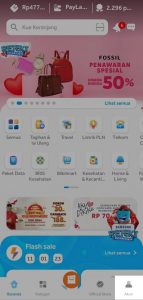
Alternatively, find the “Order List” in the top left corner of your screen if you’re using a PC.
If you’re using our app, click on the order with a status in the “Info for You” section on the homepage.
2. Click on the order you want to track in the “Currently” section. In the Order Details page, you’ll see the tracking number and can track the delivery status under “Track Delivery”.
3. After clicking “Track Delivery”, you can view the latest delivery status from the logistics provider.
Comments
0 comments
Please sign in to leave a comment.